How to search your saved Instagram posts
Instagram added a search box inside Saved in October 2026, and not every account has it yet. Where it exists, it matches a word from the text attached to a post, or the creator's username. It doesn't search what someone says in a reel, or what appears on screen.
That gap is the whole problem. You saved a 15-minute kettlebell workout for the four exercises in it, and when you want it back all you remember is “the one for core”. No search box in Instagram takes that.
Is there a search inside Saved?
Yes, on some accounts. It arrived quietly in October 2026: on 8 October Ahmed Ghanem, who posts new Instagram features early, wrote that Instagram had added an option to search within your Saved posts (Threads, 8 October 2026). SocialBee's list of Instagram updates has it under October 2026 (SocialBee, updated 23 November 2026).
There is still no page from Instagram or Meta announcing it, and as of 6 November 2026 no sign of a general rollout: it looks like a test on part of the accounts (SavedThat, 6 November 2026). Instagram's own help pages only document collections. If the box isn't in your Saved tab, no setting turns it on.
That's why the guides disagree. Stowyt wrote on 10 October 2026 that Saved has no search box, no sort and no filter (Stowyt, 10 October 2026). Quiki, checked in November 2026, says the search is there on iPhone and Android, matches only keywords and accounts, and is missing on a computer (Quiki, checked November 2026). Both describe the same feature from different accounts.
How to try it
If the test is on for your account, this is the path on a phone:
- Update Instagram.
- Open your profile, tap the menu (☰) in the top right, then Saved.
- Look for a search field at the top of the Saved tab. If it isn't there, your account doesn't have the test yet.
- Type a word from the caption, or the creator's username. In SavedThat's test, the “no results” message suggested both: “Try a different keyword or search by author.”
- Open the result and check it's the post you meant.
It's in the iPhone and Android apps. On a computer, Saved has no search.
What it doesn't find
Three things, and they are usually the three you remember.
- What was said in the reel. In SavedThat's test on an iPhone the search matched the caption and the creator's username; topic searches like “pasta recipe” came back empty even though such reels were saved (SavedThat, 6 November 2026). Quiki reports the same limit.
- What appears on screen. The workout in the video, the ingredient list, the price on a slide. None of it is searchable.
- Older saves, by what they were about. The search reads the caption, and a caption is often one line and two emoji. SavedThat measured a median of 168 spoken words per saved reel, across 785 reels in its own library (their figure; we haven't reproduced it).
What works without the test
None of these is a search, but each one makes the grid shorter.
- Collections. Press and hold the bookmark icon to file a post as you save it. Named after what you'll look for later (“Dinner ideas”, “Lisbon”), a collection is a shorter scroll. It only covers what you file from now on, and it's still a grid.
- Your data download. Accounts Center › Your information and permissions › Download your information, only Saved. The JSON file saved_posts.json lists the link and the time you saved each post, without captions or images (Stowyt, 10 October 2026). Resaw's guide says the HTML version prints the date next to each save and keeps the captions, so your browser's Find works on it (Resaw, updated 15 October 2026).
- The creator's profile. If you remember who posted it, their profile is a shorter list than your saves.
What a card holds that a bookmark doesn't
DangoVault saves the way you already do: you share the post or paste its link (how saving works). Then it reads the post, video and audio included, and writes down what it holds. This is the card for a reel that is on our own home page, exactly as it shows there:
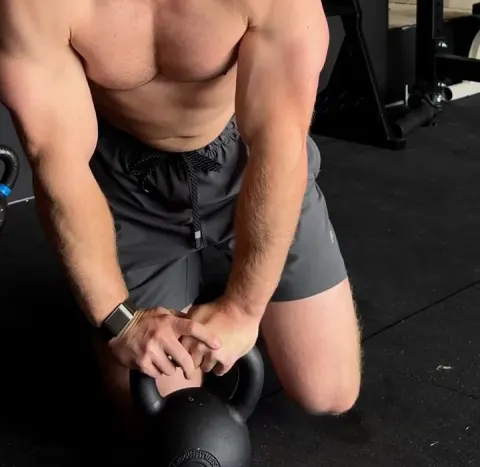
Workout
15-minute kettlebell AMRAP
- Focus
- Core
- Equipment
- One kettlebell
4 exercises to check off
- Horizontal Swings · 10
- Around the Worlds · 20
- Elbow Uppercuts · 10
- Kneeling Wood Chops · 6 per side
and 1 more
Nobody typed it by hand. The reel is the source; the card is the thing you use. If you remember “core, one kettlebell, ten swings”, any of those words finds it.
The same goes for the other types: a game comes with its platforms and its price, a place with its map, a repo with its stars and its license. See each type of card.
Saved search or a card, side by side
Checked on 25 November 2026. The Instagram column is what the tests above describe; it may change while Instagram is still testing it.
| What you remember | Instagram's search in Saved | A card in DangoVault |
|---|---|---|
| The creator's username | Yes, where the test is on | Yes, and the original link is kept |
| A word from the caption | Yes, where the test is on | Yes |
| “The 15-minute kettlebell one, for core” | No | Yes: title, focus, equipment |
| Something said halfway through | No | If it's a step or an exercise, it's on the card |
| What was on screen (price, ingredients) | No | In the card's fields |
| On a computer | No | Yes, in the browser |
| Posts you saved before using DangoVault | Yes, where the test is on | Not yet: there is no bulk import of your old saves |
Where DangoVault isn't the answer
- Your old saves. There is no bulk import of your Instagram saves yet. You save from now on, one post at a time, by sharing it or pasting its link.
- Articles and PDFs. DangoVault reads public posts from Instagram, TikTok, X, Facebook, Threads and Bluesky. If what you save is mostly articles and files, an app built for that does it better. We compare one of them, mymind, here.
- An exact quote. The card keeps what's useful from the audio (the steps, the exercises, the ingredients), not a full transcript. A tool that stores the whole transcript will find a sentence that we won't.
What you do get is a library you can ask about: Claude or Cursor can read your cards, tags and collections, read-only, so you ask “what did I save for the Lisbon trip?” instead of scrolling. Connect Claude or Cursor.
Try DangoVault in the beta
The beta is private and free, no card. It works in your phone's browser, and on iPhone through TestFlight by invitation. Android, later.
Request access to the private betaInstagram, TikTok, X, Facebook, Threads and Bluesky are trademarks of their owners; DangoVault is not affiliated with or endorsed by them. Instagram hasn't documented this feature: the facts here come from the sources linked in each line, with their dates. If something is no longer true, write to soporte@dangovault.com and we'll fix it.